

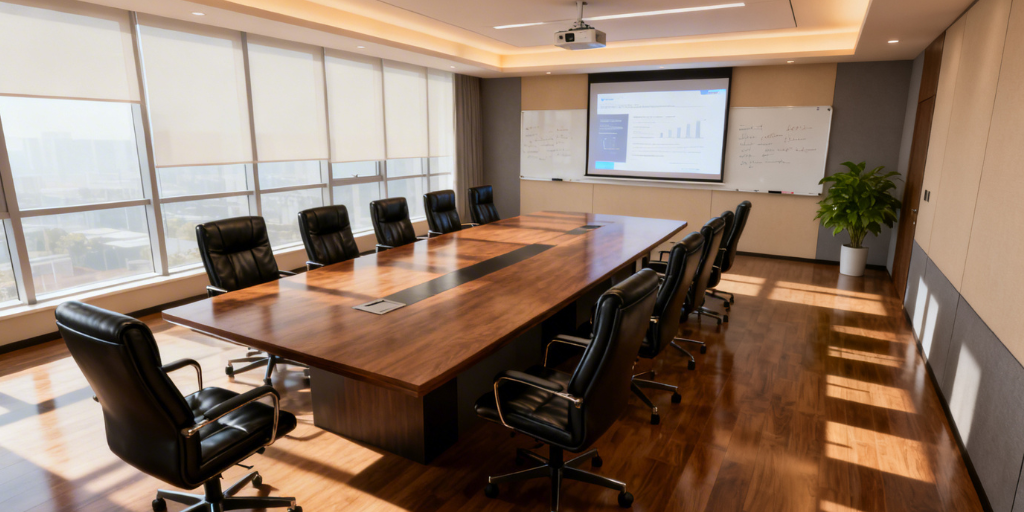
Conference Room Display Options: 3 Smart Ways to Design the Front Wall of Your Meeting Space
Conference Room Display Options: Why 98” Screens Are Replacing Projectors
Walk into a newly built conference room today and you’ll notice something right away — the projector is often gone.
With the price of large-format displays dropping significantly, 98-inch conference room TVs have become a practical replacement for traditional projector and screen setups. What used to feel oversized or expensive now feels standard.
When designing the front wall of a meeting room, most companies are choosing one of three options:
-
One extra-large display (98”+)
-
Two large displays side-by-side
-
A projection screen system
Each approach works — but the right choice depends on how the room is used.
Let’s break it down.
Option 1: One Extra-Large Display (98” and Up)
For many mid-sized conference rooms, a single 98-inch commercial display is now the go-to solution.
A few years ago, projection was the only affordable way to get a large image. That’s no longer true. Today, a 98” flat panel often costs about the same as a projector + screen + installation — and requires far less maintenance.
Here’s why companies are making the switch:
-
Brighter image, even with lights on
-
True 4K resolution that stays sharp
-
No bulbs to replace
-
No ceiling-mounted equipment
-
Cleaner, more modern look
Projectors still work — but they struggle in rooms with natural light. Displays don’t.
For rooms seating 8–14 people, a 98” display hits a sweet spot. It’s large enough for the back row to read spreadsheets clearly, but simple enough to install and operate.
In many offices, 98” is becoming the new standard conference room display size.
Option 2: Two Large Displays
If the room is used heavily for hybrid meetings, a dual display conference room setup makes a lot of sense.
This usually means two 75” to 86” displays mounted side-by-side.
Why do companies prefer this layout?
Because hybrid meetings are different now.
On a single screen, you’re forcing remote participants and shared content to compete for space. With two screens:
-
One shows people
-
One shows content
-
Everyone is easier to see
-
Meetings feel more balanced
This setup is especially popular in Microsoft Teams Rooms and Zoom Rooms environments.
It also works well in wider rooms where one large display might not give everyone the best viewing angle.
If collaboration and video conferencing are priorities, two displays often outperform one oversized screen.
Option 3: Projection Systems
Projection isn’t dead — it’s just more specialized now.
Laser projectors have improved reliability and reduced maintenance compared to older lamp-based models. They’re still useful for:
-
Very large rooms
-
Training spaces
-
Rooms needing 120”+ image size
-
Budget-sensitive installations
But when comparing projector vs flat panel, most companies now lean toward flat panels for standard conference rooms.
Projectors require controlled lighting. Displays don’t.
Projectors need ceiling mounting. Displays don’t.
Projectors fade over time. Displays stay consistent.
For many organizations, projection now makes sense only when the image size needs to go beyond what a 98”–100” display can provide.
So Which Conference Room Display Is Right?
There’s no universal answer — it depends on the room and how your team works.
Here’s a simple way to think about it:
-
Want simple, bright, modern, and low-maintenance? → Go with a 98” display.
-
Running lots of hybrid meetings? → Consider two large displays.
-
Need a massive image in a very large space? → Projection may still work.
The biggest shift happening right now is this:
Companies are no longer defaulting to projectors.
They’re evaluating large-format commercial displays first — especially in that 98-inch range — because the pricing and performance now justify it.
The front wall of your conference room sets the tone for the entire meeting experience.
Whether it’s one extra-large display, two large screens, or projection, the goal is the same: clear visibility, better collaboration, and fewer technical distractions.
And increasingly, that means flat panels are leading the way.